Website bots
A Website bot reads your website for you — every page, following headings and links — and can re-check it on a schedule so its answers keep up with your site.
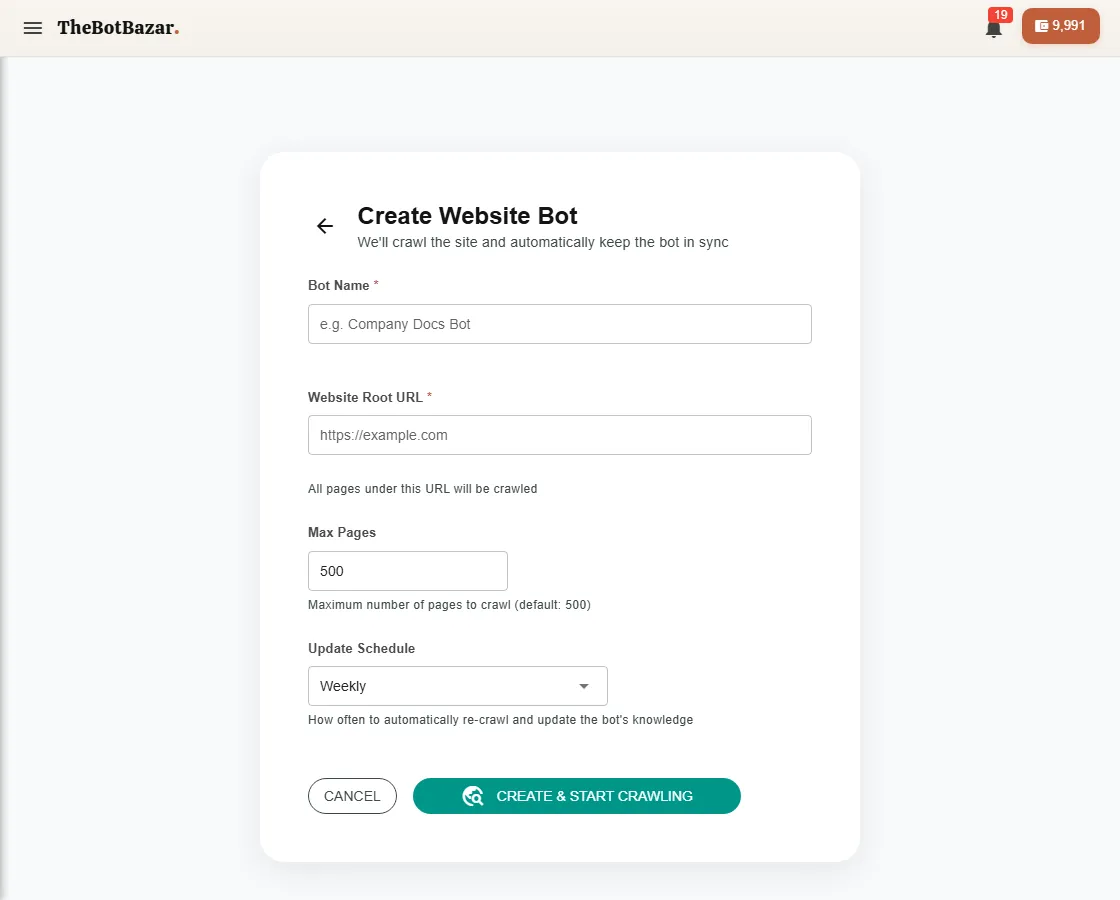
Set it up
1. Create bot → Website Bot. 2. Enter your site's address, e.g. https://dhulikhelhospital.org. 3. Choose how to find pages: - Sitemap (recommended) — fastest and most complete if your site has one. - Crawl — follows links from the home page. 4. Set limits: the maximum number of pages and how deep to follow links. 5. Start the crawl. Big sites can take a while — you can leave the page.
Keep it fresh
Open the bot's Website settings to:
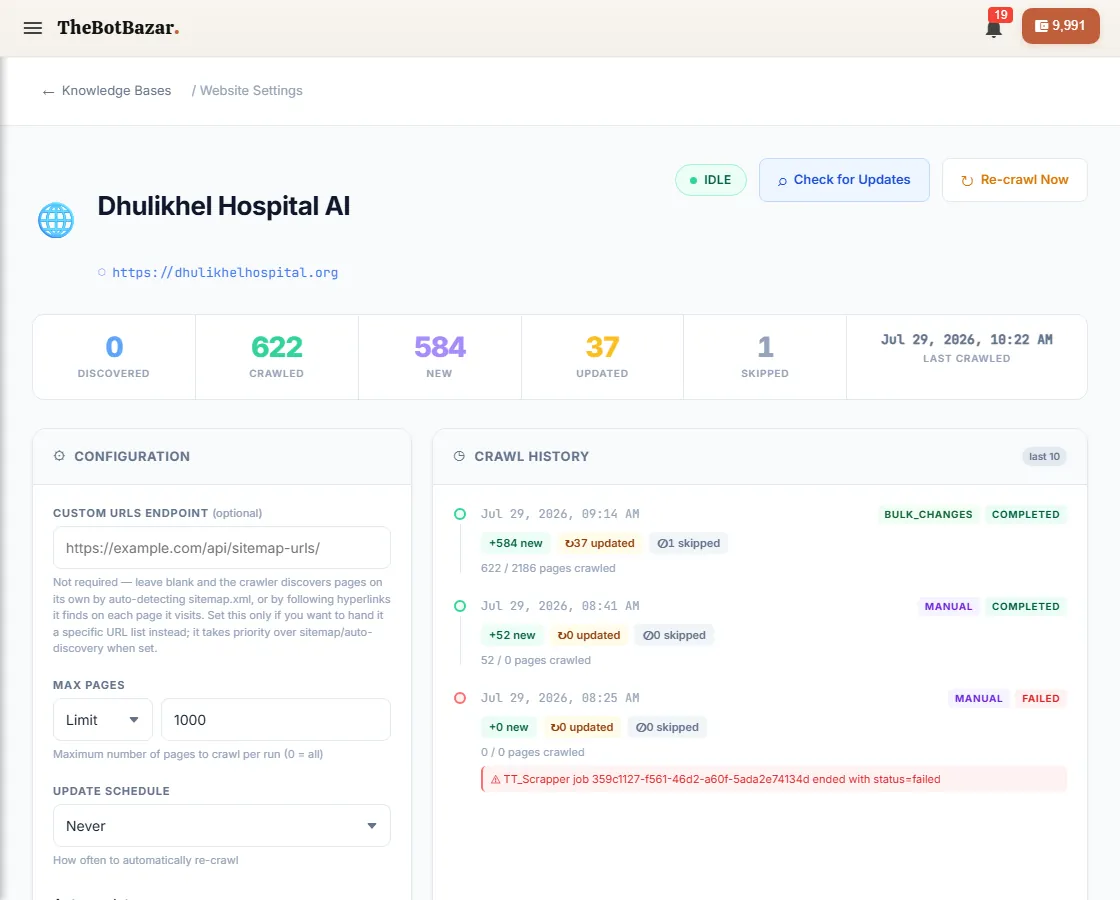
- Check for updates — see which pages changed since the last crawl. - Re-crawl the whole site or a single address. - Set an update schedule (daily, weekly) so it re-reads your site automatically. - See crawl history and a graph of how your pages link together.
[!NOTE] Website bots understand page structure: an answer about "Radiology" knows it came from Departments → Radiology, and links the customer straight to that page.