Bazar Tokens & wallet
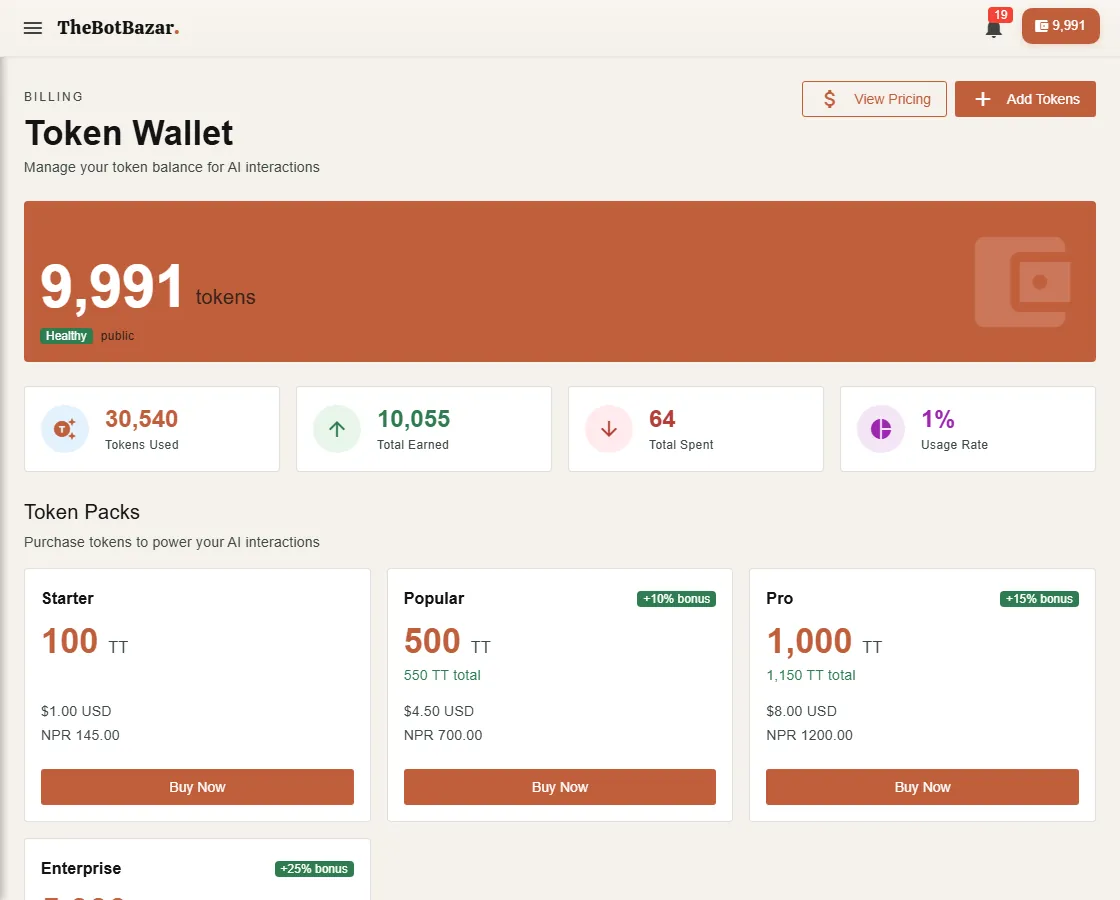
Every AI answer, voice call and bulk email costs a small amount of Bazar Tokens (BT). Your balance is always visible in the top-right corner of the dashboard.
What costs tokens
| Action | Charged for | |---|---| | A chat answer | The AI model's work to read your question and write the answer. Bigger models cost more. | | A voice call | Listening (speech-to-text), thinking (the AI model) and speaking (text-to-speech), per call. | | An email campaign | Each email sent. | | Browsing, building and training | Free. |
When someone chats with your bot on your website, WhatsApp, Discord or email, the cost comes from your wallet, because the bot is yours. In the Bazar it's the other way round: signed-in visitors pay for their own chats, and guests use a few free messages.
Top up
1. Open Wallet. 2. Choose a token pack. Bigger packs include bonus tokens. 3. Pay with card (Stripe, USD) or eSewa / Khalti (NPR). 4. The tokens appear as soon as the payment is confirmed.
Have a promo code? Enter it on the Wallet page before paying.
[!NOTE] The iOS and Android apps don't sell tokens. Top up on the website; your balance is the same everywhere.
See where tokens went
Usage Dashboard shows usage per day, per bot and per channel. Each bot's own dashboard shows its estimated cost too.
[!WARNING] If your balance reaches zero, your bots stop answering and receptionists politely end calls. Keep a little in reserve for bots that are live on your website or WhatsApp.
Plans
Plans add a monthly token allowance and unlock features:
| Plan | Monthly tokens | Super Agents | Receptionists | |---|---|---|---| | Free | — | — | — | | Starter | 1,000 | up to 3 | 1 | | Pro | 5,000 | up to 10 | 3 | | Enterprise | Custom | Custom | Custom |
Request an upgrade from Settings → Account; an admin reviews it.