Profile, account & plans
Your profile
Settings → Profile is your public face as a maker: display name, avatar (upload a photo or pick a preset) and a short bio.
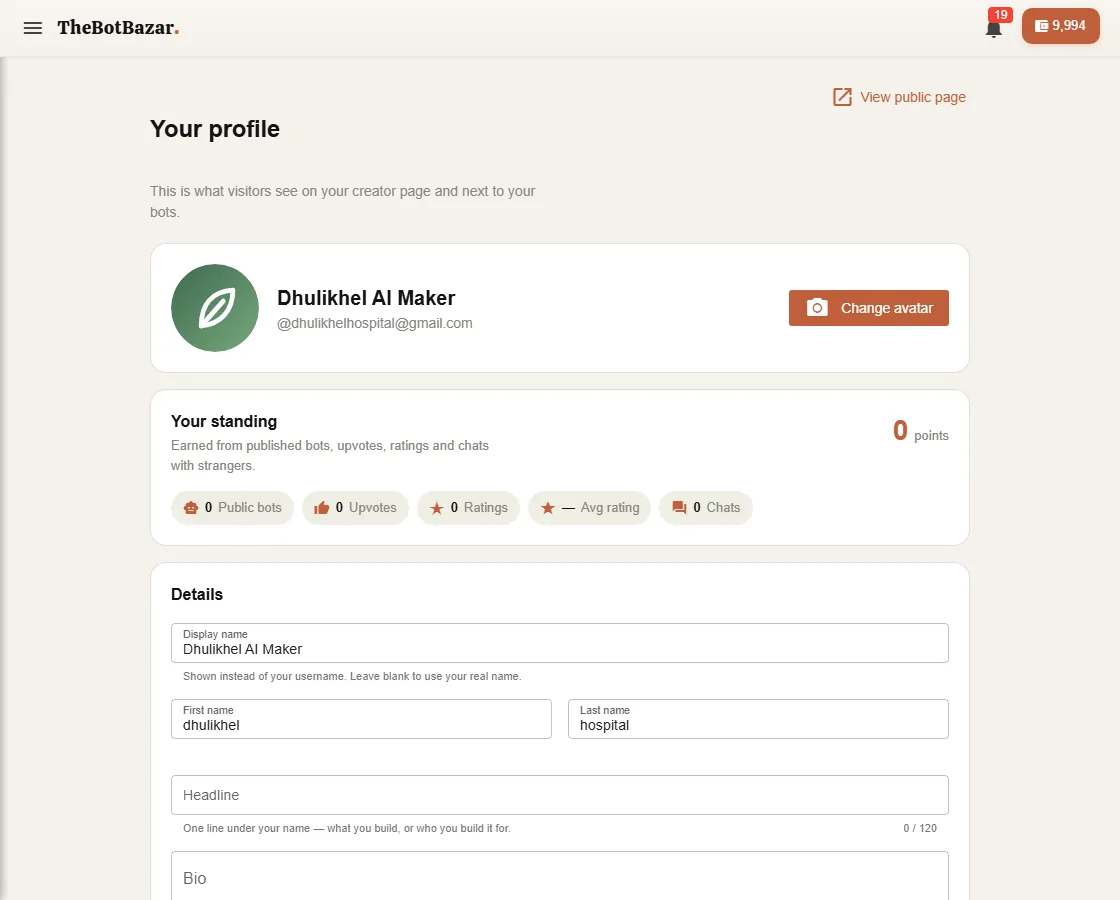
Your public page lives at thebotbazar.com/creator/<username and lists the stalls and receptionists you've published.
Reputation
Your standing grows as people use and like your public bots — ratings, upvotes, chats and reviews all count. The profile page shows what each part is worth.
Account settings
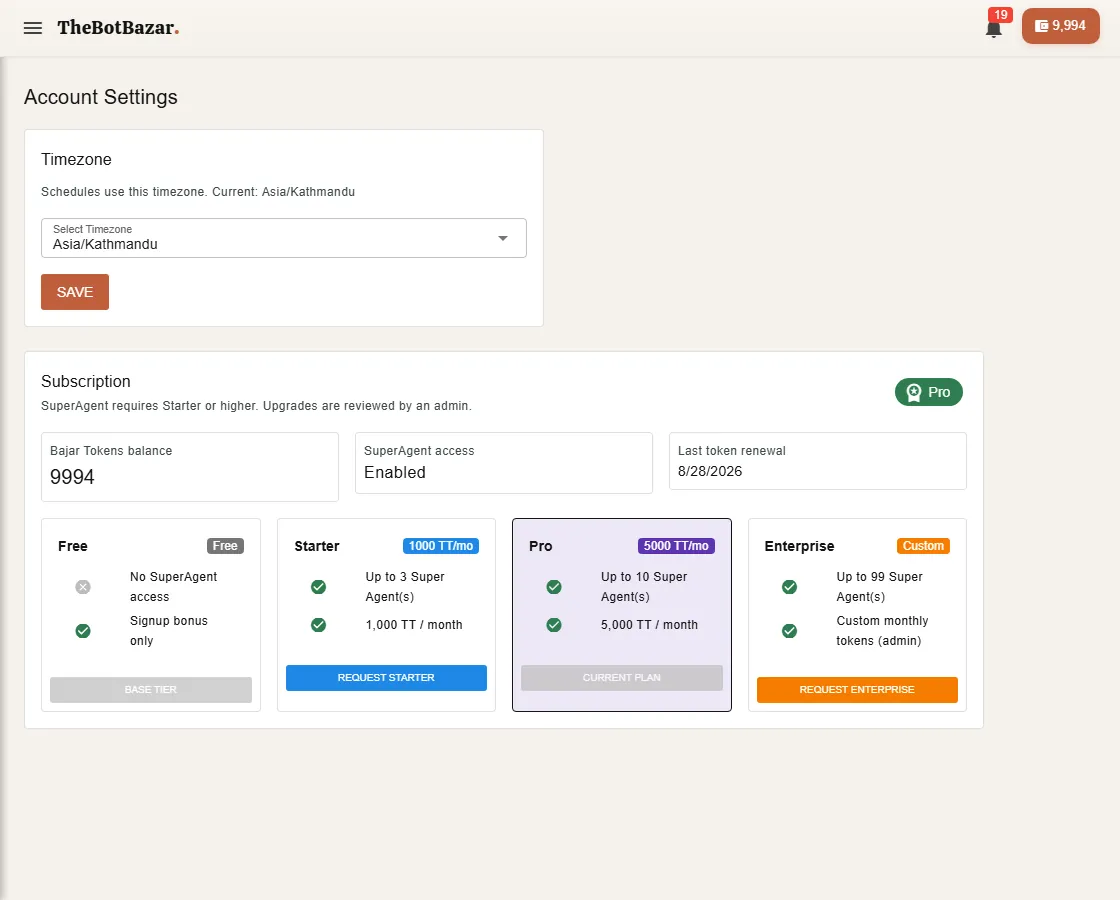
Settings → Account holds your time zone and your subscription. Pick a plan and click Request upgrade; an admin reviews it and you're notified when it's approved.
Delete your account
1. Open Settings → Account and scroll to Delete account. 2. Click Delete my account. 3. Enter your current password and click Delete permanently.
This removes your account and the bots, knowledge bases and conversations it owns, and it can't be undone. It works the same on the website and in the apps. Can't sign in? Email [email protected] from your account's address and we'll delete it for you.
Notifications
The bell in the top bar collects alerts: low balance, call problems, approved upgrades and announcements.